



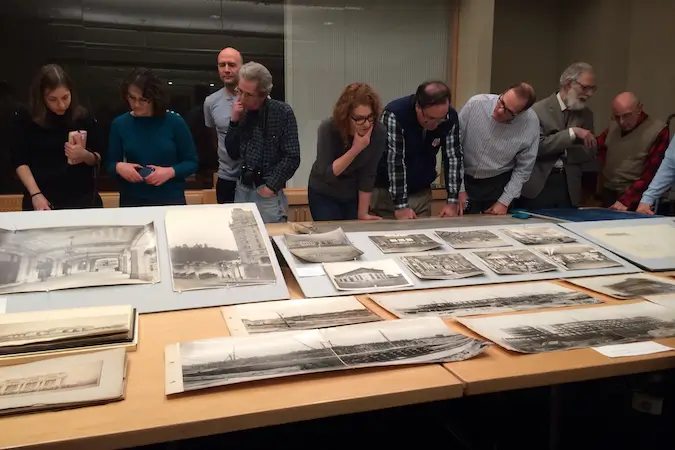
Group examining archival materials at a members only program

How to Buy Members’ Tickets

  • Sign up for our e-newsletter to find out about tickets and tour dates first.
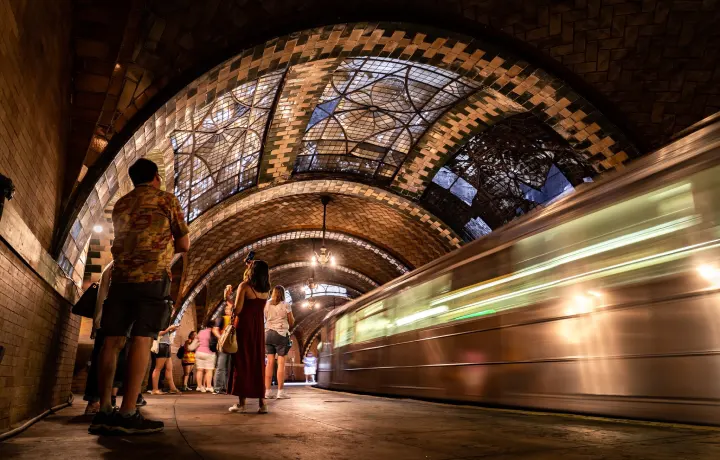
  • For specific questions about Old City Hall tour tickets, visit our Old City Hall page.
  • Browse our upcoming programs and excursions on our calendar. Click the Buy Tickets button to get to the ticketing page of your selected tour or program.

Ticket Allowances for each Membership Level

You can buy as many tickets as there are people covered by your membership. For example, to buy two tour tickets, you will need a Dual/Household, Dual Plus, or higher membership. Use the chart below to see how many tickets each membership type allows.

Please note:

  • Tickets for children (included with Dual/Household membership and above) are for youth ages 10-17 only. Adults may not be substituted for children’s spots on any tours. Children under 10 are not permitted on the Old City Hall Station tour. Please see program pages for other age requirements.
  • Museum guest passes and caregiver add-ons are valid only for Museum admission.  The PCA add-on for members with disabilities is valid for member-only programs but must be requested by emailing [email protected] as soon as tickets are purchased.
  • All ticket sales are final. If you cannot attend the program on the date you reserved or do not submit security materials in time, the total price of unused tickets will be treated as a donation to the Transit Museum and is tax deductible to the fullest extent allowed by law. Tickets are non-refundable, cannot be transferred to another date, and cannot be used by another individual.  

Member Instructions to Buy Public Program Tickets:

  1. Click on your desired program page listed on the Museum’s calendar or newsletter. On the program page, click the “Tickets” or “Register” button to go to the ticketing page.
  2. On the ticketing page, click the “Sign in” button on the top right to sign into your membership account. When you bought your membership, you had the option to register and create an account. If you did not, you can click “Register” to create a password and then sign in. You will see your email address at the top right once successfully signed in.
  3. Enter the number of tickets in the “Quantity” field(s) and click “Register” at the bottom left. Please note, your membership level determines how many tickets you can buy for a members-only program or at a discounted member’s rate. If there is a membership discount, it will not appear on this page, but on the next cart page.
  4. Enter registrant(s) information, agree to any policies, and click “Add to cart.”
  5. The next cart page will now show the member price. You do not need to enter a discount code. Enter your personal and billing information, then click “Check Out” at the bottom.
  6. Enter your credit card information and click “Finish and pay”to complete your order.
  7. After you place your order, you’ll receive three emails. One will be a receipt, another barcode ticket(s), and the third will include more information about your program. Please contact [email protected] if you do not receive the third email.
  8. Tickets to restricted sites such as Old City Hall station are pending until all attendees sign a release form and send a copy of a government-issued ID. Your third email will have instructions for this. Failure to complete this step within 48 hours of ticket purchase will cancel your registration and your ticket cost will become a tax-deductible donation to the Museum.
  9. You will receive a reminder email the week of the program with the location and time of the program.
  10.  For a more visual step-by-step explanation of the ticketing process, download this ticketing guide.